
TEMPLATES & BUSINESS WORKFLOWS
How to Build an Invoice Payment Tracker in Excel
Build an Excel invoice payment tracker with due dates, outstanding balances, payment status, and clear overdue follow-up fields.
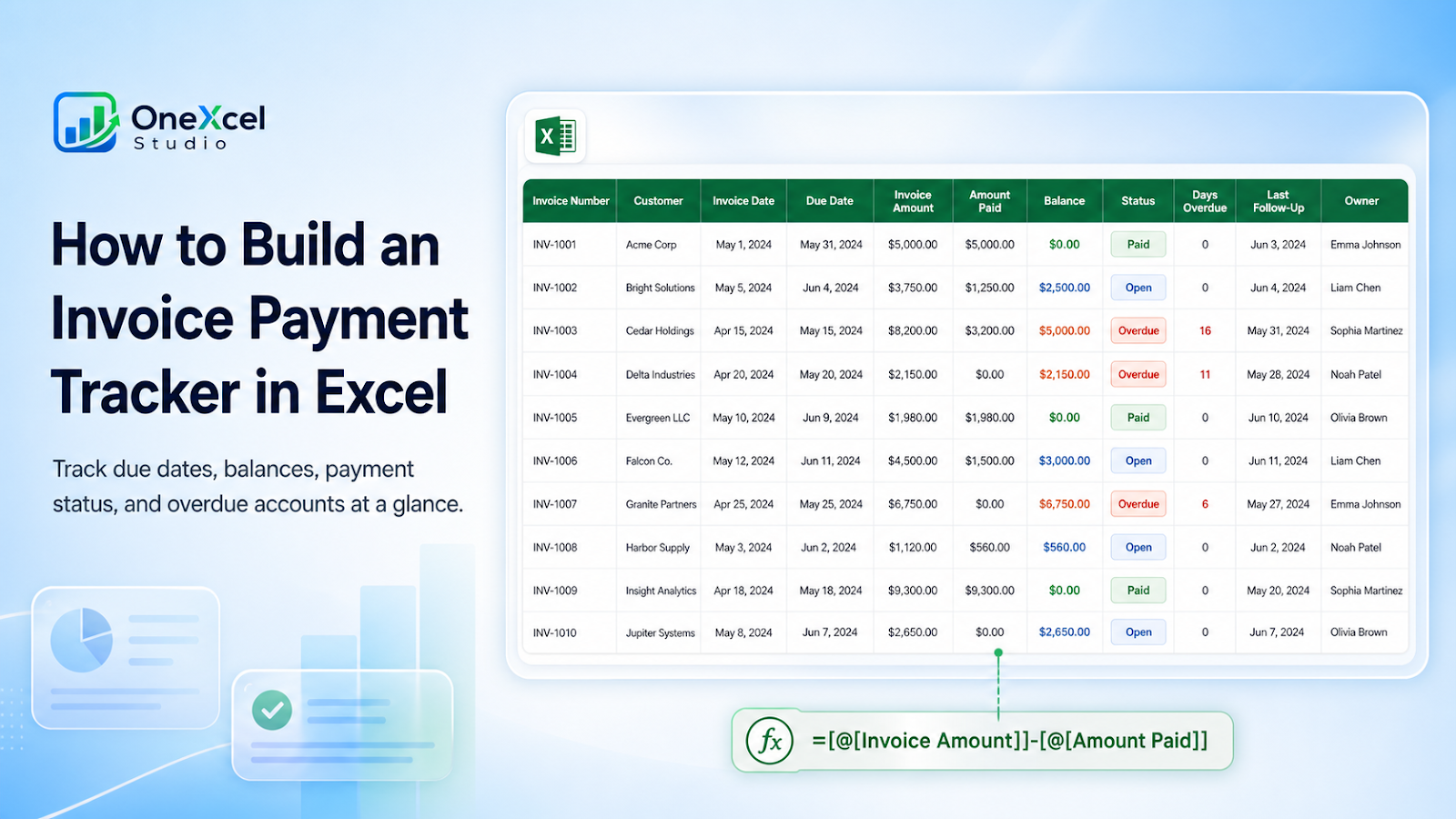
Recommended tracker fields
| Field | Purpose |
|---|---|
| Invoice Number | Stable invoice key used to match payments and prevent duplicate collection records. |
| Customer | Customer or account responsible for the invoice. |
| Invoice Date | Date the receivable was issued and aging begins under the approved terms. |
| Due Date | Contractual payment deadline used for overdue status and follow-up. |
| Invoice Amount | Original billed amount; keep it unchanged even after partial payments. |
| Amount Paid | Cumulative payment applied to this invoice or total from a linked payment-detail table. |
| Balance | Calculated amount still outstanding after recorded payments. |
| Status | Operational state such as Open, Overdue, Paid, Disputed, or On Hold. |
| Days Overdue | Calculated age beyond the due date while an unpaid balance remains. |
| Last Follow-Up | Most recent collection contact date so overdue accounts are not contacted repeatedly or forgotten. |
| Owner | Person responsible for the next collection action or customer follow-up. |

Build the workflow
- Create one row per invoice.
- Use a unique invoice key.
- Enter due dates from approved payment terms.
- Update payments against the correct invoice.
- Calculate outstanding balance and status.
- Record follow-up dates, owner, and promised payment.
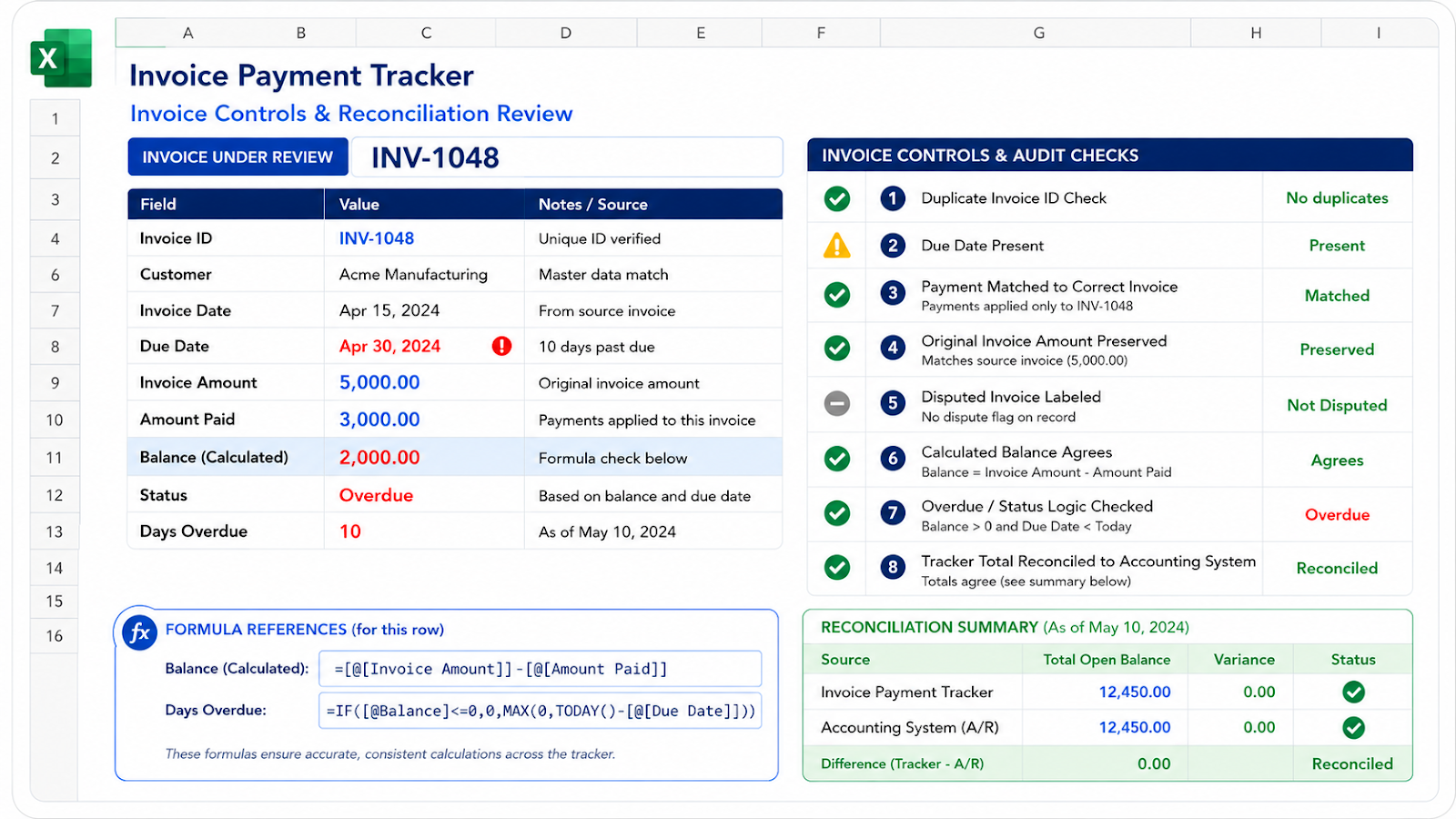
- Reconcile balances with the accounting system.
Useful formulas
Balance: =[@[Invoice Amount]]-[@[Amount Paid]]Status: =IF([@Balance]<=0,"Paid",IF([@[Due Date]]<TODAY(),"Overdue","Open"))Days overdue: =MAX(0,TODAY()-[@[Due Date]])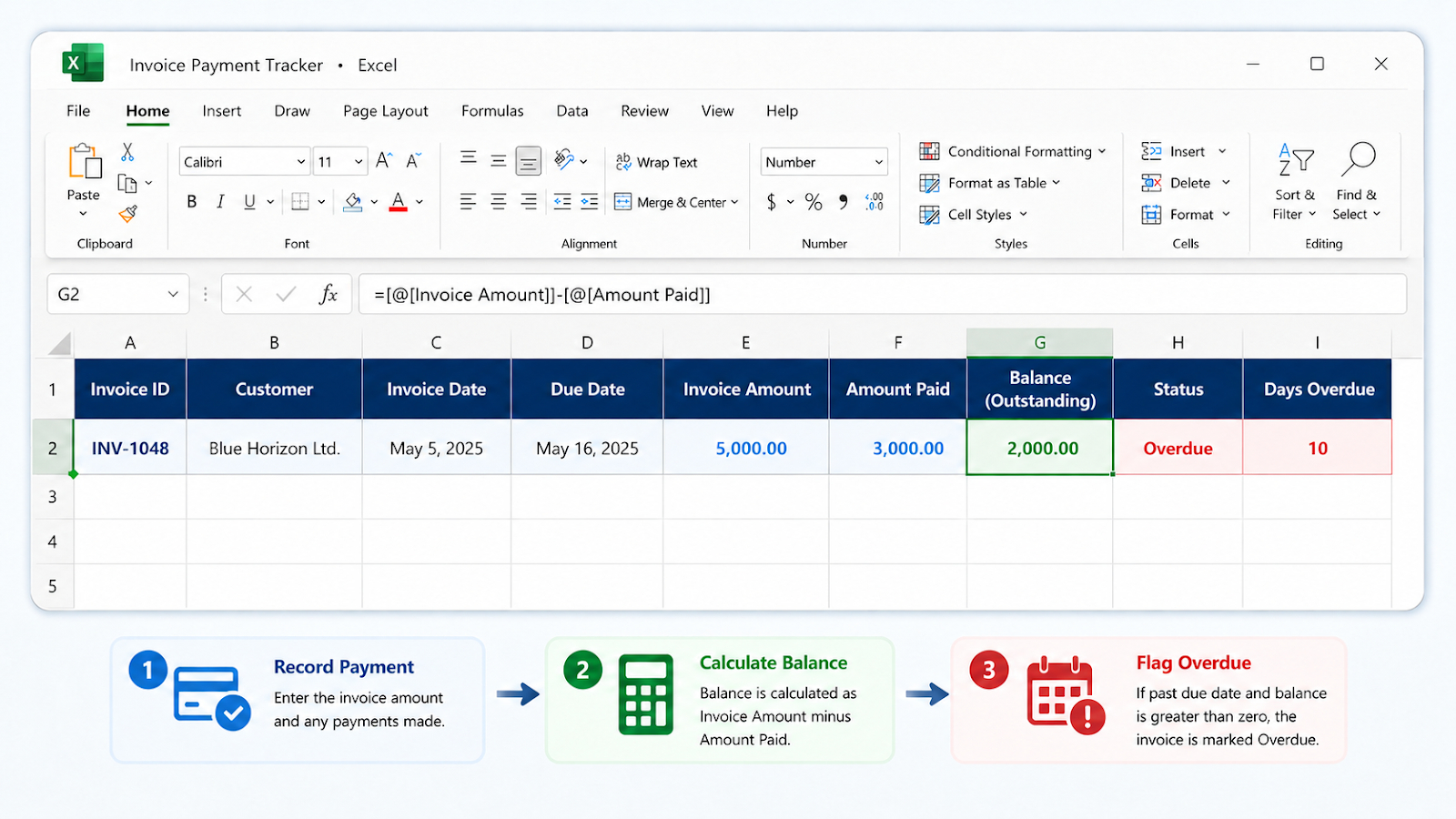
Common tracker mistakes
| Mistake | Impact |
|---|---|
| Replacing invoice amount with balance | The original invoice value is lost. |
| Applying payments to the wrong invoice | Customer totals may still look correct while invoice status is wrong. |
| Using TODAY in archived reports without a snapshot | Days overdue changes over time. |
| Leaving disputed invoices unlabeled | Collection actions become misleading. |
| Treating the tracker as the accounting ledger | The source system remains authoritative. |
Worked payment example
Suppose invoice INV-1048 is for 5,000, has 3,000 recorded as paid, and was due ten days ago. The remaining balance is 2,000, so the status should still be Overdue and the collection workflow should focus on the unpaid balance, not the original invoice amount. A safer Days Overdue formula is =IF([@Balance]<=0,0,MAX(0,TODAY()-[@[Due Date]])) so fully paid invoices do not continue aging.
Partial payments are easier to audit when payment detail is stored separately and summarized back to the invoice table. If the tracker only has one Amount Paid cell, document whether it is cumulative. Add a Dispute or Hold status when collection should pause, and keep Last Follow-Up plus Next Action fields so an overdue list becomes an actionable work queue rather than only an aging report.
Frequently asked questions
How do I handle partial payments?
Keep Invoice Amount fixed and update Amount Paid or a separate payment-detail table.
Should credit notes be negative invoices?
Follow the accounting-system convention and document the link.
Can I summarize by customer?
Yes, with SUMIFS or a PivotTable using balance and status.
How do I avoid duplicate invoice numbers?
Use a combined key with customer or entity when needed and run a duplicate check.
Continue building reliable Excel workflows
Browse more lessons in the OneXcel Tutorial Hub or explore free Excel resources.